
TiviMate IPTV Player: Installation and Setup on FireStick and Android TV
In this tutorial, you’ll learn how to install, set up, and use the TiviMate IPTV Player on Fire TV Stick and Android TV. The same steps also apply to other Amazon Fire TV devices such as FireStick Lite, FireStick 4K, and Fire TV Cube.
The demand for IPTV streaming keeps rising as users look for affordable access to live TV channels, movies, and series. Since not all IPTV providers offer a built-in app, having a reliable IPTV player becomes essential — and this one stands out for its smooth performance and versatility.
Get a free trial of our IPTV service!
Subscribe now and start streaming instantly!
What Is TiviMate Player?
This IPTV player is a flexible application made for streaming online television content through Internet Protocol Television (IPTV) services. It features a simple interface that helps organize and view favorite channels quickly and efficiently.
It also supports EPG integration (Electronic Program Guide), displaying detailed scheduling for all available channels to enhance your viewing experience. Users can create custom playlists, connect to M3U links, and access streams through Xtream Codes or Stalker Portals.
This software is available for both Android TV and FireStick, offering a fast, feature-packed solution for IPTV users who value ease of use and stability.
Premium Version
The Premium plan unlocks extra functionality for those who want a complete experience. Subscribers enjoy ad-free streaming, the ability to add multiple playlists, group channels, and mark favorites for quicker access.
It supports several video formats for better compatibility and can be purchased for $9.99 per year or $29.99 for lifetime access — a fair price for such a powerful IPTV tool.
Main Features
Here are some of the app’s most notable features:
- User-Friendly Interface: Smooth and intuitive navigation.
- Multi-screen Option: Watch multiple channels at the same time (Premium feature).
- Custom Settings: Adjust preferences for a more personalized experience.
- Broad IPTV Support: Works with M3U playlists, Xtream Codes, and Stalker Portals.
- Frequent Updates: Regular improvements for better performance.
- Search Tool: Find channels or content quickly.
- Customer Support: Responsive help when needed.
Try our IPTV service for free today!
Subscribe now and enjoy!
Is TiviMate Safe and Legal?
oy nonstop streaming!
This IPTV software is known for being safe, lightweight, and easy to use. It’s available on the Google Play Store but not in the Amazon App Store, so users must sideload it. The APK file has been verified as clean by VirusTotal, ensuring it’s free of malware.
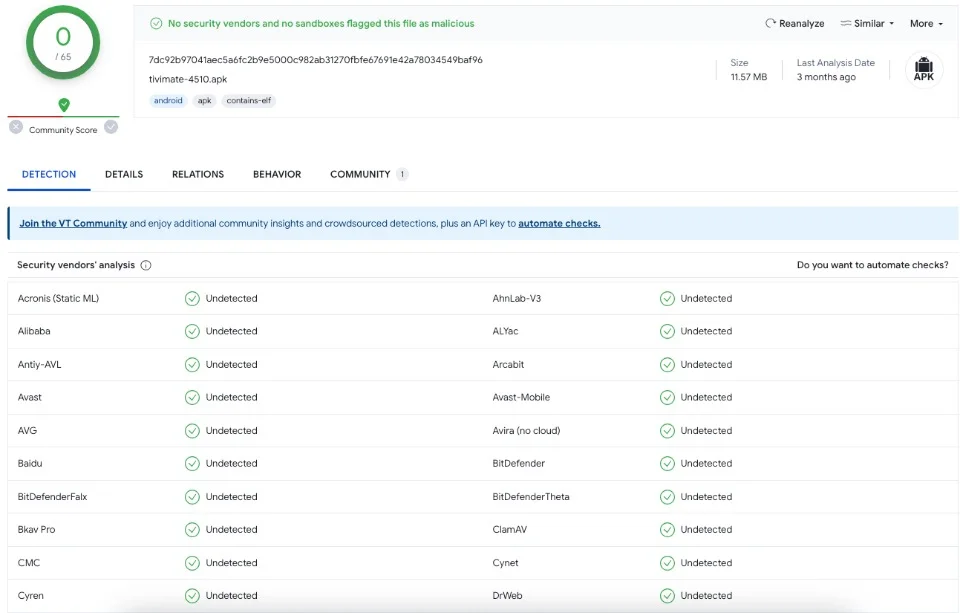
As for legality, the player itself is completely legitimate — it’s designed for authorized IPTV services. However, streaming copyrighted material without permission may violate intellectual property laws.
For privacy and protection, it’s strongly recommended to use a VPN such as ExpressVPN. It hides your IP address and encrypts your internet traffic, ensuring safe, anonymous viewing.
How to Install on FireStick
Because the app isn’t in the Amazon App Store, installation requires sideloading. Follow these steps:
Step 1: Install Downloader
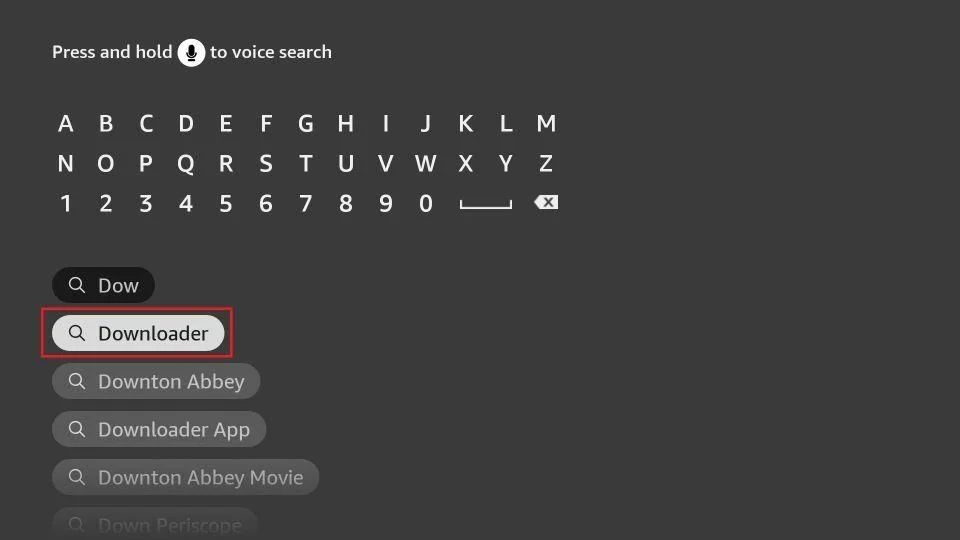
- From the FireStick home screen, open the search icon.
- Type Downloader and select the orange app.
- Click Get or Download to install it.
Step 2: Enable Developer Options
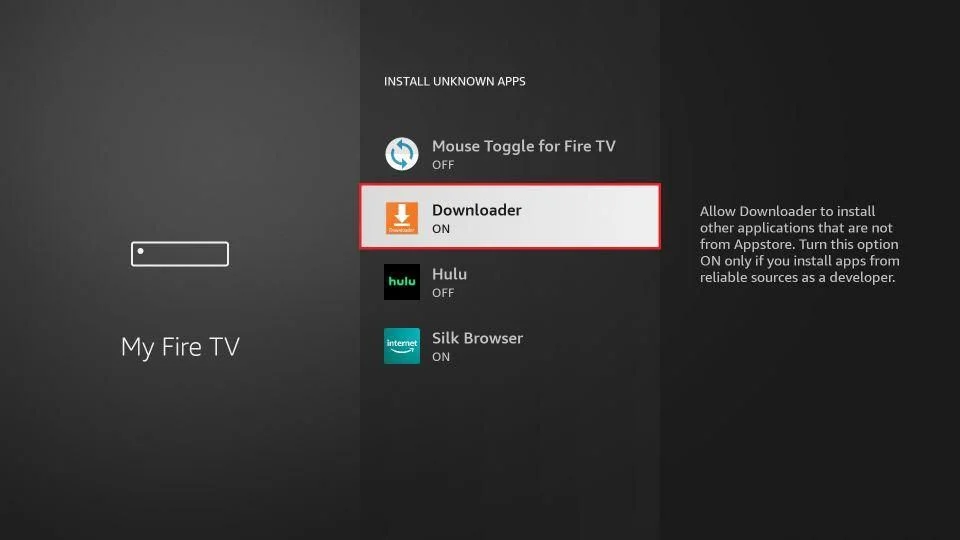
- Go to Settings > My Fire TV.
- Open Developer Options. If it’s hidden, go to About > Fire TV Stick and click seven times to enable it.
- Turn on Install Unknown Apps to allow sideloading.
Step 3: Download and Install
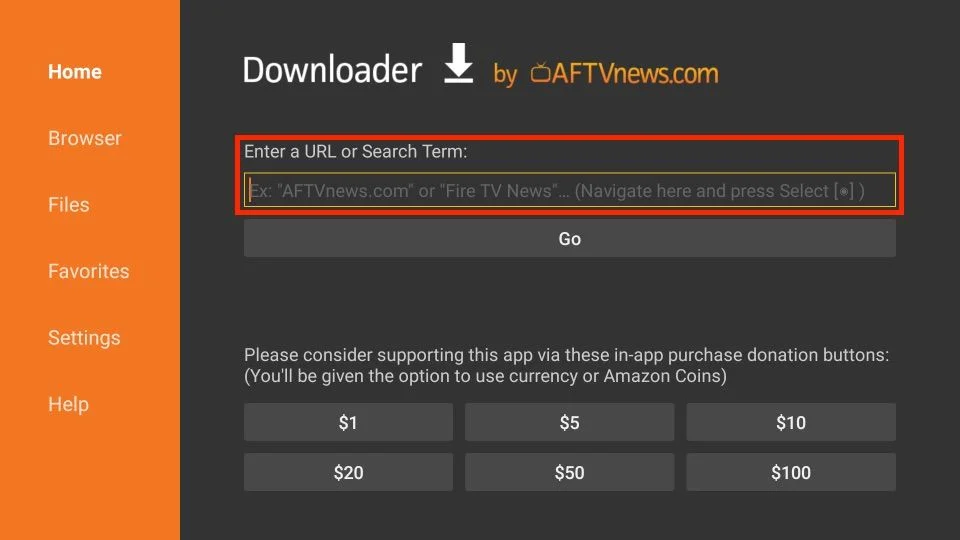
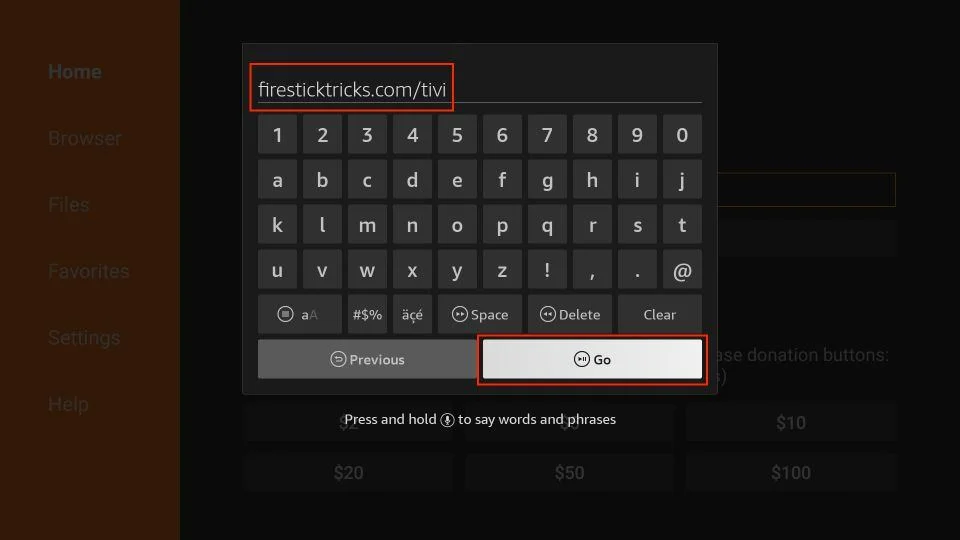
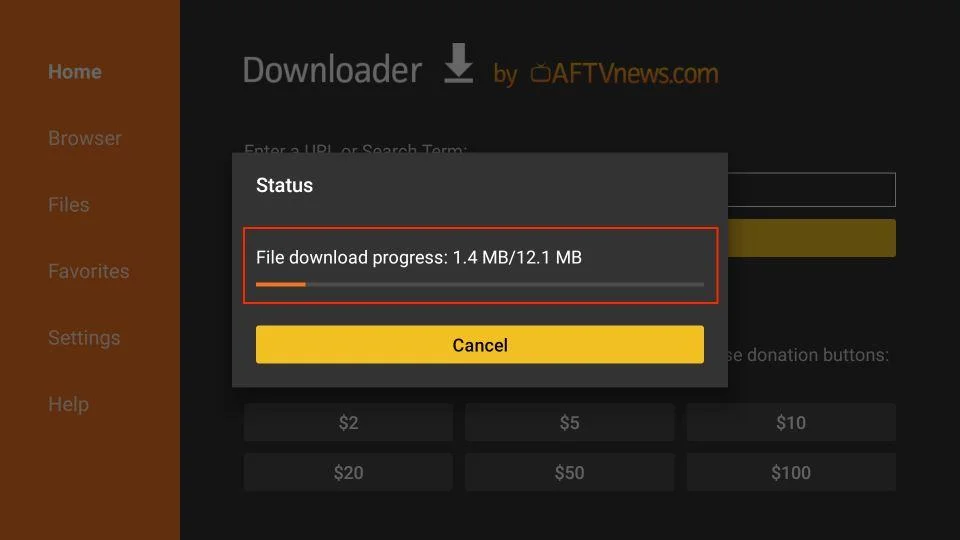
- Open Downloader and type firesticktricks.com/tivi.
- Click Go to download the APK.
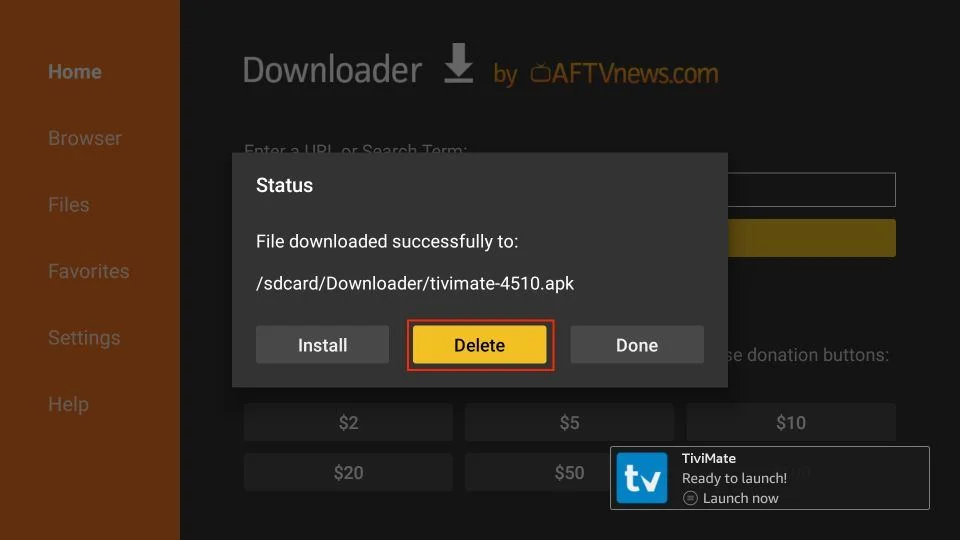
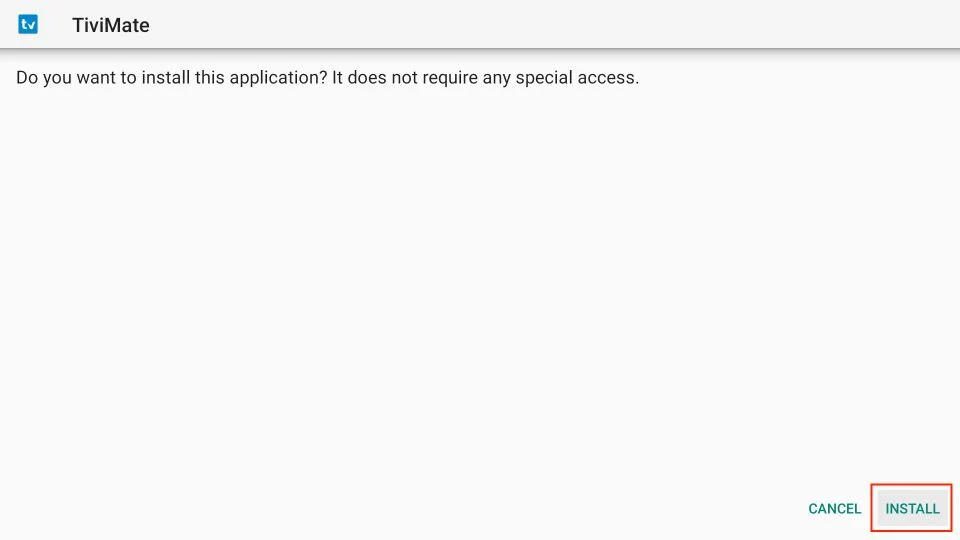
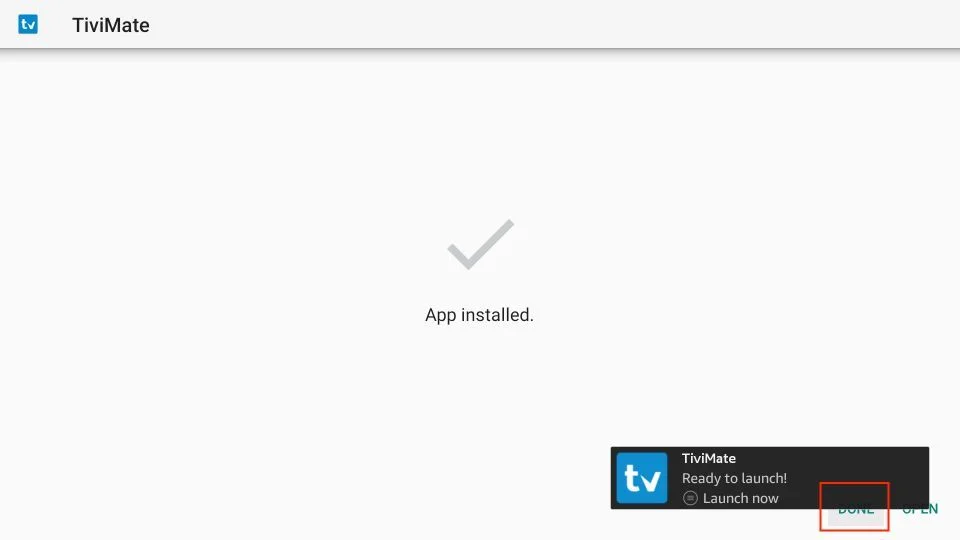
- Once downloaded, select Install, then Done.
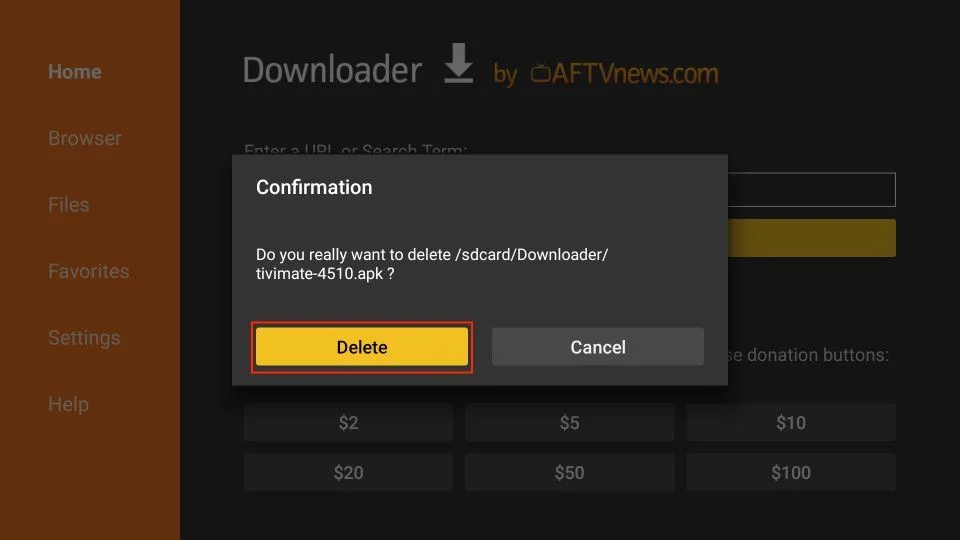
- Delete the APK file afterward to save space.
That’s it! You’ve successfully installed the IPTV player on your FireStick. You can now link your IPTV service and enjoy hundreds of live channels, movies, and shows.
Try our IPTV service for free and discover everything Vistar Stream offers.
Subscribe today for a premium, ad-free IPTV experience.
Try our IPTV service for free today!
Subscribe now and enjoy!