
How to Fix the Playback Error in IPTV Smarters Pro - Guide exclusive 2025
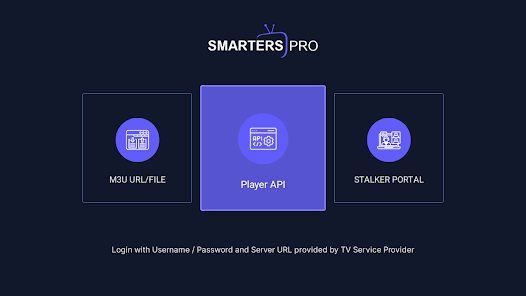
Facing playback errors in IPTV Smarters Pro can be frustrating. However, addressing them methodically can significantly improve your streaming experience. Here’s a practical guide focused primarily on VPN issues and your IPTV service provider, helping you overcome the most common playback problems.
If you’re looking for a reliable IPTV service, consider USA IPTV for a smooth, uninterrupted streaming experience.
Check Your VPN Connection:
If you’re experiencing Playback Error issues, the first thing you should do is check your VPN connection. A low-quality VPN can cause buffering, connection drops, or even be blocked by your Internet provider. To avoid this, consider switching to a more reliable VPN service like ExpressVPN, NordVPN, or IPVanish, which ensure stability and security for your connection.
You can also try disabling the VPN and connecting directly — in many cases, it’s not strictly necessary to use one. While VPNs do enhance privacy, don’t worry — no one’s coming after you just for enjoying “Wonka.”!
Contact Your IPTV Provider:
Before changing any settings, it’s best to reach out to your IPTV provider. They might be experiencing technical issues with their servers or could offer you alternative server options to improve your streaming performance.
If you’re looking for a better IPTV option, check out our latest offers. We give you the chance to try the service for free before purchasing, because we’re confident in its quality. We use a 3-server rotation system to minimize downtime and ensure a smooth, uninterrupted viewing experience. Go ahead — give it a try!
Use a VPN to Avoid ISP Blocking
Streaming on IPTV Smarters Pro without a VPN can increase the risk of your Internet Service Provider (ISP) throttling your connection or blocking the service entirely. A reliable VPN not only prevents these issues but also protects your privacy while streaming. If you’d rather not spend money on a paid VPN, consider free options like Proton VPN for basic protection.
Restart the App or Device:
In many cases, simply restarting the IPTV Smarters Pro app or the device you’re using to stream can fix most issues. This quick step helps clear temporary errors or cache problems that may be affecting performance and playback stability.
Check Your Internet Connection
heck Your Internet Connection
It’s essential to have a stable and fast Internet connection to stream content without interruptions. A weak connection can cause loading issues and buffering. We recommend a minimum speed of 20 Mbps to ensure the IPTV server runs smoothly.
Also, make sure your router is placed close to your IPTV device, as IPTV sticks often have limited Wi-Fi range. For the best performance, consider using an Ethernet cable, which provides a faster and more stable connection.
Keep the App Updated
Regularly updating IPTV Smarters Pro is key to enjoying the best streaming experience. Updates often include performance improvements, bug fixes, and streaming optimizations.
Visit the official website to check for the latest updates:
Clear the App Cache
Clearing the app cache can help fix issues like freezes, crashes, or blank screens by removing temporary files that might be causing problems.
Here’s a quick guide on how to do it:
Consider Reinstalling the App
If the problems persist (Playback Error), uninstalling and reinstalling IPTV Smarters Pro can work as a full reset, helping to resolve any lingering errors. This process often removes conflicting settings and clears out corrupted data.
Try an Alternative Player
If playback issues continue, the problem may be due to an outdated app version or incompatibility with your IPTV provider’s server. We recommend contacting your provider to verify compatibility.
By the way, we offer free IPTV support via WhatsApp — feel free to message us for a trial and troubleshooting assistance. Also, check out our blog posts on different IPTV apps to find the one that best suits your needs. If you’re one of our clients, we also offer unlocked premium versions of some applications.
Adjust Player Settings
If you notice audio or video incompatibility, try modifying the player settings in IPTV Smarters Pro. Enable software decoding and ensure that hardware acceleration is turned on, as these adjustments can resolve most playback issues.
By following this step-by-step approach, you can troubleshoot everything from VPN-related issues to specific app errors, ensuring a smooth and seamless streaming experience.
Need more help?
Contact us on WhatsApp for personalized assistance.
Tags: IPTV buffering fix, IPTV España, IPTV playback error
Get a Free Trial of Our Service!
Subscribe Now!
Recommended Articles:
- IPTV Without Freezes: The Ultimate Solution to Avoid IPTV Buffering
- IPTV Trial: How to Get a Free IPTV Test Account
- IPTV Smarters Pro: Setup and Features
(Playback Error) (Playback Error) (Playback Error) (Playback Error)