
Hot IPTV: How to Upload a Playlist and Configure the App

What Is the Hot IPTV App?
Hot IPTV is one of the most popular and reliable IPTV players designed for Smart TVs and streaming devices. Known for being lightweight, fast, and user-friendly, it delivers a smoother and more intuitive viewing experience compared to other IPTV apps such as IPTV Smarters Pro or TiviMate, which can sometimes feel sluggish or unstable.
With a generous 30-day free trial and an annual subscription of just €4.99, Hot IPTV provides exceptional value for money, making it an affordable choice for both beginners and experienced streamers.
The app supports a wide range of devices — including Roku, LG TV, Samsung Smart TV, Fire TV Stick, and even Android TV boxes — ensuring maximum compatibility across platforms. Users can easily install it via Downloader or through their TV’s native app store.
Thanks to its quick setup, secure connection, and seamless playlist management, Hot IPTV stands out as one of the best solutions for those who want a premium IPTV streaming experience without complexity or buffering issues. For more background on how Internet Protocol Television (IPTV) works, you can visit the Wikipedia article on IPTV
Get a Free IPTV Trial from Vistar Stream
Subscribe Now on Vistar Stream
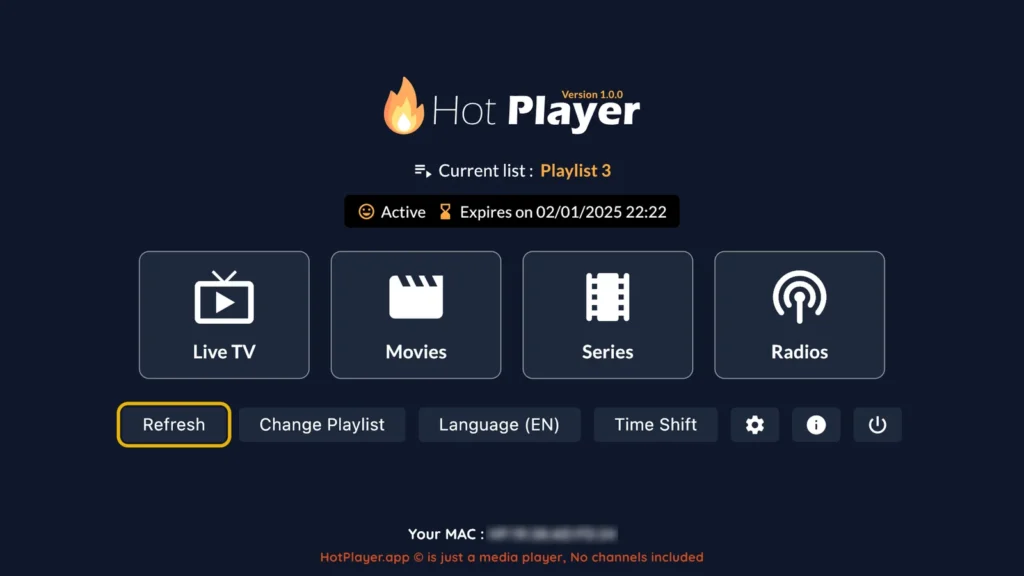
How to Set Up Hot IPTV
Follow these simple steps to upload your IPTV playlist to the Hot IPTV app:
A. Download and Install the App
Search for HotPlayer in your Smart TV app store.
If you’re using a Firestick, install it using the Downloader code 395800.
Once downloaded, install the app on your Smart TV or Firestick.
B. Find Your MAC Address
Open the Hot IPTV app once installed.
On the main screen, you’ll see your MAC address and a link.
Write this information down — you’ll need it for the next step.
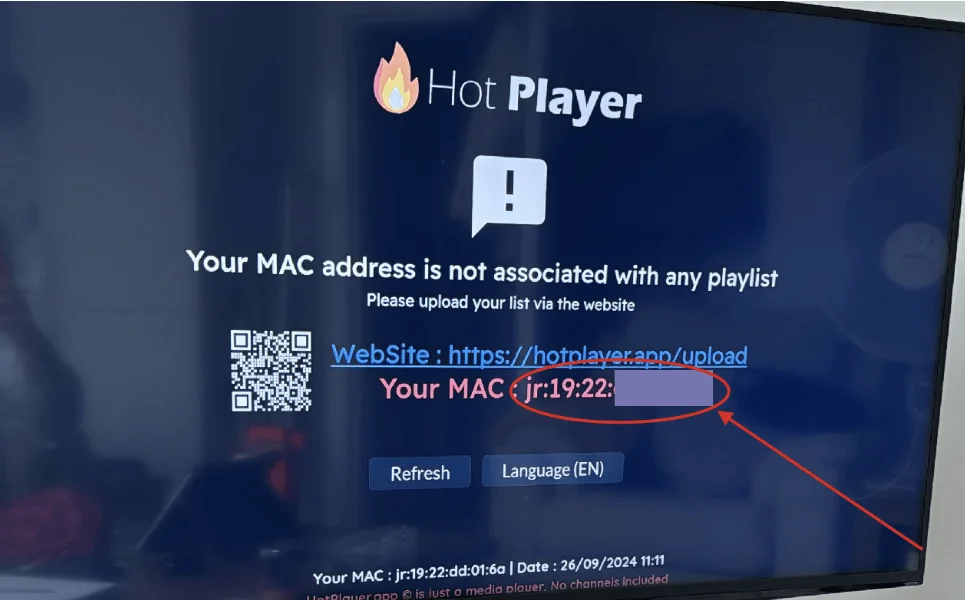
C. Link Your Playlist
On your phone or computer, go to https://hotplayer.app/upload.
Enter the MAC address from your TV screen.
In the Playlist URL field, paste your M3U playlist link provided by Vistar Stream.
Example M3U Playlist URL:
Give your playlist a name — any name you prefer.
D. Activate Your Playlist
Return to the Hot IPTV app on your TV or Firestick.
Press Refresh or Reload.
If needed, restart your device.
Your playlist will now appear, ready to use.
Sit back and enjoy your live TV channels, movies, and series in high-quality streaming.
Why Choose Hot IPTV?
Hot IPTV is built for seamless entertainment, providing instant access to live TV, movies, and series from your IPTV provider.
It supports a wide range of platforms, including Roku, LG, Samsung, and Android, giving you more flexibility to enjoy your content from anywhere.
Important Note:
Hot IPTV is a premium IPTV player that operates on a paid model. It offers a 30-day free trial, giving users full access to its features before committing to a subscription. After the trial period, you can continue enjoying the app for only €4.99 per year, which makes it one of the most affordable IPTV solutions available today.
Unlike many free IPTV players that come with ads, limited features, or unreliable performance, Hot IPTV provides a stable, ad-free, and high-quality streaming experience. The subscription ensures continuous access to regular updates, improved security, and faster customer support — ideal for anyone looking for a smooth and secure IPTV setup.
This low-cost annual plan gives you unlimited IPTV streaming with no hidden fees, making Hot IPTV an excellent choice for users who value both affordability and performance.
If you need help setting up the app or encounter any issues, contact Vistar Stream Support via WhatsApp or Email.
Get a Free IPTV Trial from Vistar Stream
Subscribe Now